


Word Games: CrossWord & Search
4.920.00 Reviews
App Specs
- Version
- 1.75
- Updated On
- License
- Free
- Downloads
- 10,000+
- Developer
- Underwater Games OU
- Categories
- Word
- Platform
- Android
Screenshots
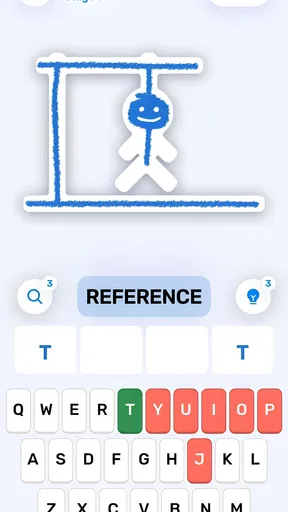
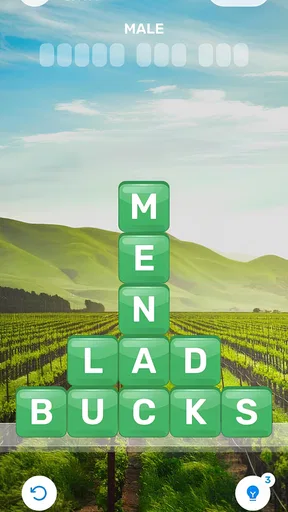
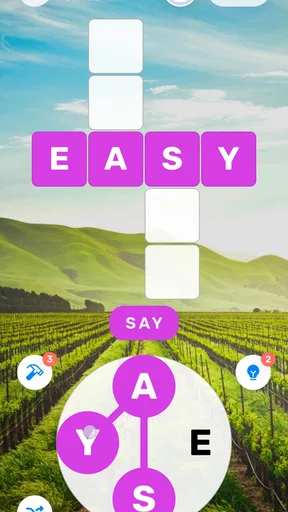
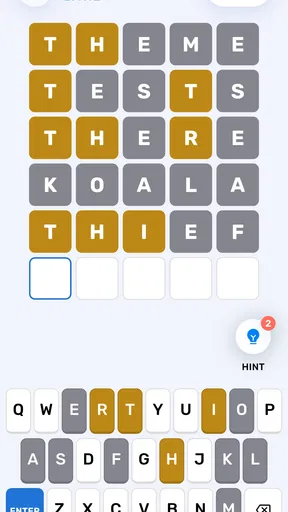
 Analysis by AppCompare
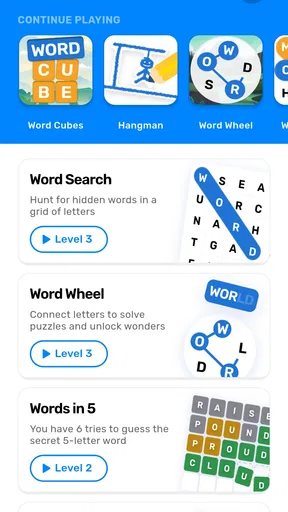
I spent time with Word Games: CrossWord & Search as a casual word-game player, and its most useful idea is easy to understand: it brings more than one style of word puzzle into the same place. That sounds simple, but it changes how I use it. Instead of opening one app for a crossword and another for a word search, I can stay in the same game and choose the kind of mental break I want.
That flexibility is the real point here. This is not a game I would choose for a dramatic story, competitive action, or a deep progression system. I see it more as a pocket collection for short sessions, especially when I want something quieter than a typical mobile game. The free entry also makes it easy to try without committing money first, while optional purchases ranging from $1.99 to $8.49 per item may matter to players who use it frequently.
Underwater Games OU developed this word game for an Everyone audience, and it runs on Android 7.0 or later. The current version is 1.75, and the game has passed 10K installs. Its average rating is 4.9 from around 237 ratings, with around 19 written reviews, which suggests that the compact puzzle format has found a receptive audience. I would still treat those numbers as a starting signal rather than a substitute for deciding whether its style suits you.
One game, several ways to exercise your word skills
I find the appeal of this collection less about chasing a long streak and more about having a useful choice ready when I open it. In this section, I look at how switching between clue-solving and visual word hunts can keep a short session fresh, and why that flexibility matters more than treating every puzzle as a step in one continuous campaign.
The capability that makes the collection useful
The central capability is variety within a word-game format. Crossword-style play asks me to connect clues with vocabulary, while search-style puzzles focus more on visual scanning and spotting words among distractions. Those activities feel related, but they use different strengths. One rewards recall and interpretation; the other rewards patience, pattern recognition, and careful movement across a grid.
That distinction has a practical effect. If I am mentally tired, a clue-heavy puzzle can feel like work, while a search puzzle gives me a more direct task. On another day, searching through a grid feels repetitive and I would rather think through a clue. Having both approaches available means I do not need to abandon the game simply because my mood has changed.
I also like that this arrangement makes the app more approachable for people who do not already identify as crossword fans. A traditional crossword can feel intimidating when a clue depends on knowledge I do not have. A word search is usually easier to enter because the target is visible as a word, even though finding it can still take concentration. That makes the collection more suitable for mixed households or friends with different levels of puzzle experience.
Worth Reading Before You Choose

Flipboard Shows What News Apps Must Do Beyond the Feed

Switching to Android Auto Means Rethinking Your Driving Routine

Google Calendar Makes a Crowded Week Easier to Manage

Ludo King Makes the Most of the Minutes Between Plans

Baby Panda World Brings Quick Play to Modern Phones, but Its Game Library Feels Busy

ESPN’s Live Game View Makes Following Close Games Easier
The important qualification is that variety does not automatically mean depth. A collection can offer several puzzle types while each individual type remains fairly straightforward. I would not install this expecting the complexity of a dedicated crossword platform, a large competitive word league, or a carefully structured course in vocabulary. Its strength is choice and convenience, not necessarily specialization.
How the different puzzle habits affect play
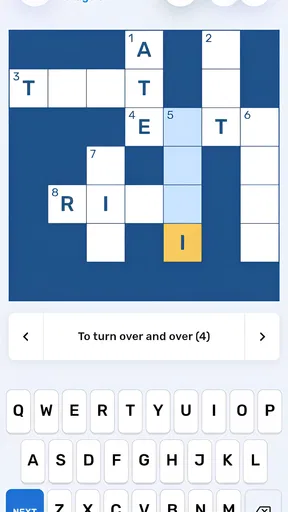
Crossword play encourages me to slow down and test possibilities. I read a clue, consider the length or crossing letters, and decide whether I know the answer or should leave it for later. That process is satisfying when a difficult answer becomes clear through nearby entries. It is also where frustration can appear fastest, because one unfamiliar clue can interrupt the rhythm of an otherwise comfortable session.
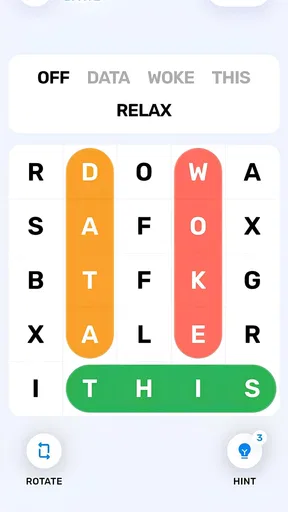
Word search play has a different rhythm. I scan rows, columns, and diagonals, looking for familiar letter sequences rather than constructing an answer from a clue. I find this especially useful when I want a game that keeps my attention occupied without requiring as much verbal recall. It can be calming, but it may feel too repetitive for someone who wants every move to present a new problem.
My practical tip is to switch puzzle styles before I become annoyed. If I have reread a crossword clue several times without progress, moving to a search puzzle gives me a reset instead of turning the session into a test of stubbornness. Likewise, if I am scanning a grid mechanically, changing to clues restores the sense of discovery. The value of the collection appears most clearly when I use the two modes as complementary activities rather than judging the whole game by the one that happens to be frustrating me.
Another useful habit is to treat a short session as a warm-up rather than a challenge to finish everything. I begin with the puzzle type that matches my energy, solve what I can, and stop while the experience still feels relaxing. This is a better fit for the game than expecting a long, escalating campaign. The format works naturally in small gaps, and forcing it into a marathon can make the simpler mechanics feel thin.
What using it looks like in an everyday situation
Imagine waiting for an appointment with ten minutes to spare. I would open the game, choose a puzzle that does not require a long setup, and work until my name is called. If the first activity demands more concentration than I have available, I can move to the other word format instead of switching to social media. That is a modest use case, but it is exactly where a lightweight word collection makes sense.
The same applies to a quiet evening when I want something more active than reading but less demanding than a full game. I can use a crossword to engage my vocabulary, then move to a search puzzle when I want a more visual cooldown. The change of mental gear is more important to me than any single puzzle. It gives the session a natural beginning and ending without asking me to learn a new app every time.
I can also see it working for a parent and child who want a shared, screen-based activity suitable for an Everyone audience. The adult could help reason through a clue while the child searches for visible words, or they could alternate between the two styles. I would keep expectations realistic: the age rating makes it broadly accessible, but it does not mean every puzzle will be equally easy for every child. Vocabulary, reading ability, and patience will still shape the experience.
Where the free model helps and where it may bother you
The free price is a clear advantage for cautious players. I can try the core experience before deciding whether it deserves space on my phone. For an occasional player, that may be enough. Someone who only wants a few minutes of word play during commutes or breaks may never feel a need to spend anything.
Optional purchases between $1.99 and $8.49 per item create the main financial trade-off. I would pay attention to how often the game presents those options during normal use and whether they are connected to convenience rather than essential access. For me, the right approach would be to enjoy the free portion first and decide on a budget only after I know how regularly I return. A low-cost trial is sensible; repeated small purchases can become less sensible if they are made simply to avoid a moment of difficulty.
There is also a difference between a free game and a completely frictionless game. Word puzzles depend on a steady flow, so interruptions, locked content, or purchase prompts can feel more noticeable than they would in a fast action title. I would not call that a reason to reject it automatically, but it is a reason to consider how sensitive you are to interruptions. Dedicated puzzle apps may be a better choice if you want one focused format with a very controlled presentation.
Another trade-off is specialization. A dedicated crossword app is likely to be the stronger choice for a player who cares mainly about clue quality, advanced solving, or a highly focused crossword routine. A dedicated word-search app may suit someone who wants only visual scanning and no clue solving. This game earns its place by combining both directions, but that same breadth may be less appealing to an expert who wants one format refined above all else.
Small decisions that make the experience better
I recommend choosing the game according to the kind of attention you have, not according to which mode seems more impressive. Use crossword-style play when you want language recall and deduction. Use word search when you want a visual hunt with a clearer immediate objective. This sounds obvious, but making that choice deliberately prevents the common mistake of treating every puzzle as though it should provide the same kind of satisfaction.
When a crossword answer is unclear, I would avoid filling it through random guessing. Work from the entries you can solve and let the crossing letters narrow the possibilities. This preserves the reasoning element and reduces the chance that one uncertain answer makes the rest of the puzzle feel confusing. If the process stops being enjoyable, switching modes is not giving up; it is using the collection as intended, in my view.
For search puzzles, I find it helpful to scan systematically instead of jumping around the grid. I start with one direction, check likely letter openings, and then move across the area in a consistent pattern. The method is less exciting than frantic searching, but it reduces missed words and makes the puzzle feel more manageable. It also turns the mode into a brief concentration exercise rather than a test of how quickly I can spot something.
Players concerned about spending should decide in advance whether they want to remain entirely free or allow occasional purchases. Making that choice before a difficult moment is useful because it keeps the decision separate from frustration. I would also remember that the game is best judged over several short sessions, not one hurried opening. The appeal comes from having a suitable word activity ready when I need it.
Who will get the most from this collection
I think the strongest audience is the casual player who enjoys words but does not want a single demanding format all the time. If you like the idea of a crossword yet sometimes prefer a simpler visual search, the combination is practical. It is also a good fit for people who want a free game to test during spare moments and who appreciate being able to change the kind of challenge without changing apps.
It may work well for language learners too, although I would describe it as an informal practice tool rather than a structured learning product. Crossword clues can expose you to vocabulary and word associations, while search puzzles reinforce recognition. The limitation is that the game is not a replacement for lessons, explanations, or deliberate review. You learn through context and repetition, but you may need another resource to understand why an answer is correct or how to use it naturally.
Older phones are not automatically excluded, since the minimum requirement is Android 7.0. That makes the game potentially accessible to users who do not keep up with the newest devices. Still, the more important question is not hardware but tolerance for the game’s presentation and purchase model. A technically compatible phone can run it, yet a player who dislikes casual collections may still prefer a focused alternative.
I would skip it if you want competitive multiplayer, a narrative campaign, or a highly demanding puzzle system. I would also look elsewhere if you already have a favorite dedicated crossword app and never use word searches. In that case, the collection’s main advantage disappears, and a specialist product may offer a more satisfying routine. The same is true for players who need detailed learning feedback rather than relaxed practice.
My recommendation after weighing the trade-offs
My overall impression is positive because the game understands a real mobile habit: sometimes I want to think through language, and sometimes I only want to search, spot, and unwind. The ability to move between those two kinds of word play gives the app a practical identity beyond its short store summary. It is not trying to replace every puzzle experience, and I would not judge it by that standard.
The 4.9 average and the presence of more than 10K installs show that it has already attracted a modest group of players, but my recommendation is based more on the fit of its format. If you want a free starting point, short sessions, and a choice between clue solving and visual word hunting, it is worth trying. The Everyone rating also makes it suitable for a broad audience, provided each player’s reading level and patience match the puzzles.
I would begin without purchasing anything, test both styles on separate days, and notice which one brings me back. If the switch between formats genuinely helps you stay engaged, the optional purchases may feel easier to evaluate. If you only enjoy one mode or find the collection too basic, a dedicated alternative will probably serve you better. For me, the strongest reason to keep Word Games: CrossWord & Search installed is not endless complexity; it is the convenience of having two different kinds of quiet word challenge ready for the exact amount of time I have.
Pros
- Combines crossword puzzles with word searches for varied gameplay.
- Simple controls make it easy to start playing immediately.
- Helpful hints can assist when a puzzle becomes difficult.
- Short levels are convenient for quick gaming sessions.
- Improves vocabulary and spelling through repeated word practice.
Cons
- Some puzzles may feel repetitive after extended play.
- Hints can reduce the challenge for experienced word-game players.
- Difficulty progression may not feel consistent across all levels.
- Ads may interrupt gameplay
- especially between completed puzzles.
- Requires patience when searching for less familiar words.
FAQs for Word Games: CrossWord & Search
What is Word Games: CrossWord & Search?
Word Games: CrossWord & Search is a casual word-puzzle app that combines crossword-style challenges with word-search activities. Players solve clues, find hidden words, and complete themed boards at their own pace. It is designed for short breaks as well as longer sessions, making it suitable for users who enjoy vocabulary games, relaxing puzzles, and progressively more challenging levels.
Is Word Games: CrossWord & Search free to download and play?
The app can generally be downloaded and played for free, although it may include optional in-app purchases. Depending on the version and device, purchases can provide hints, remove advertisements, or unlock additional features. The free experience may also be supported by ads, so users who prefer uninterrupted gameplay should review the store listing and purchase details before downloading.
Does the game require an internet connection?
Many of the basic crossword and word-search puzzles can usually be played without a continuous internet connection once the necessary content has loaded. However, an internet connection may be required for downloading new levels, displaying advertisements, synchronizing progress, or processing in-app purchases. Offline availability can vary by version, so it is worth testing the game before relying on it during travel.
Is Word Games: CrossWord & Search suitable for beginners and children?
The game is generally approachable for beginners because its early puzzles introduce the controls and word formats gradually. Players can often use hints when they get stuck, which makes the experience less frustrating. Parents should still check the app’s age rating, advertising, privacy information, and any purchase options before allowing younger children to play without supervision.
What should I know about ads, hints, and game difficulty?
Players should expect the difficulty to increase as they progress through the puzzle collection. Hints can be useful when a clue or hidden word is difficult, but they may be limited, earned through gameplay, or offered through optional purchases. Advertisements may appear between rounds or after requesting assistance. The overall experience is relaxing, although frequent ads may affect users who prefer uninterrupted puzzles.


